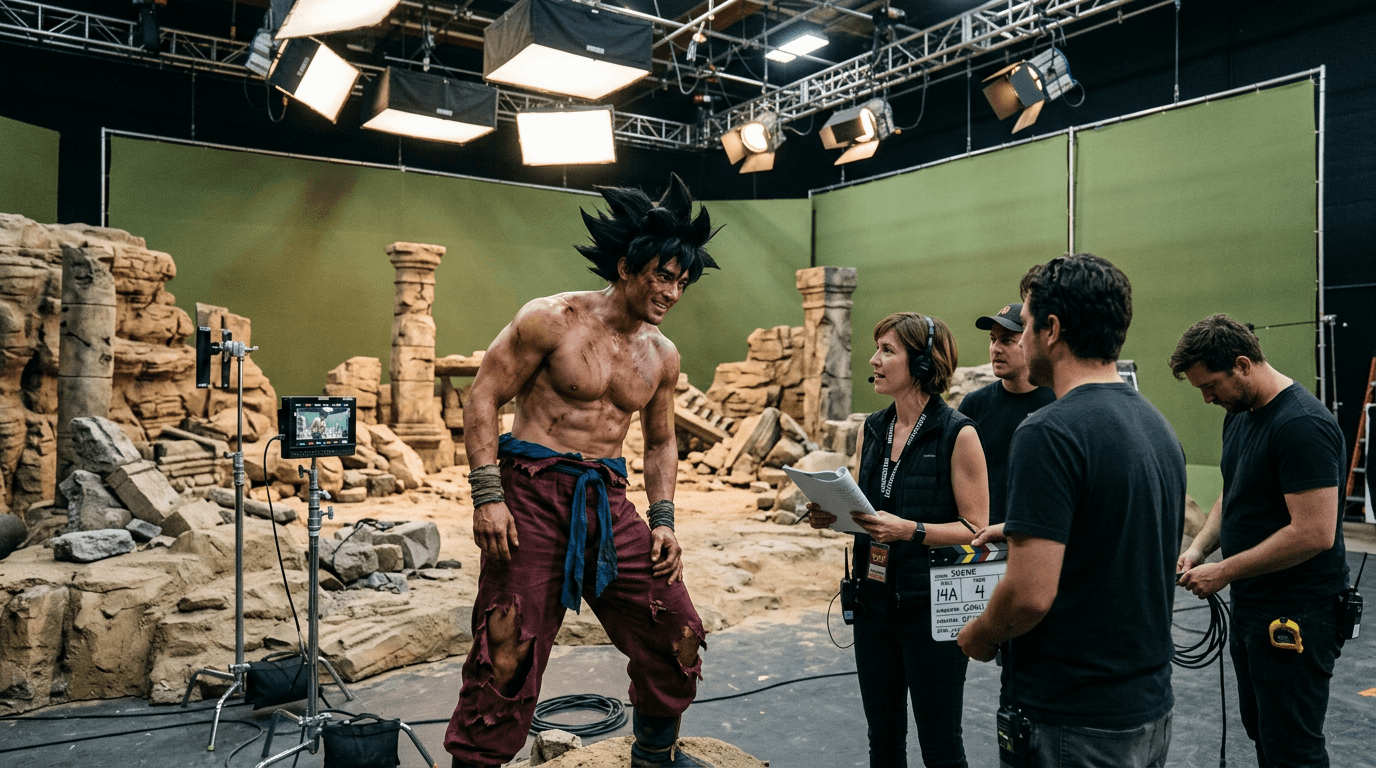
How to create a Saiyan Set Candid image
The prompt
Behind-the-scenes photograph on a live-action Dragon Ball Z film set: a powerfully built actor wearing a screen-accurate Goku costume — shirtless torso covered in battle-damage makeup, wild spiked black hair, deep burgundy torn trousers, and white cloth wrist wraps — leans toward a small cluster of crew members mid-conversation on a charcoal-grey soundstage floor. Practical desert-stone set pieces and sculpted rubble props surround them; matte olive-green screen panels line the far walls. Overhead, a forest of softbox rigs and tungsten barn doors cast warm-to-cool split lighting across the scene. Captured with a handheld DSLR at a candid, slightly low angle; shallow depth of field keeps the actor sharp while crew equipment softly blurs behind him. High detail, honest color grading, no retouching.
How it works
- 1Tweak the prompt or pick a different model.
- 2Hit Generate — your image renders in seconds.
- 3Drop it straight into a video.