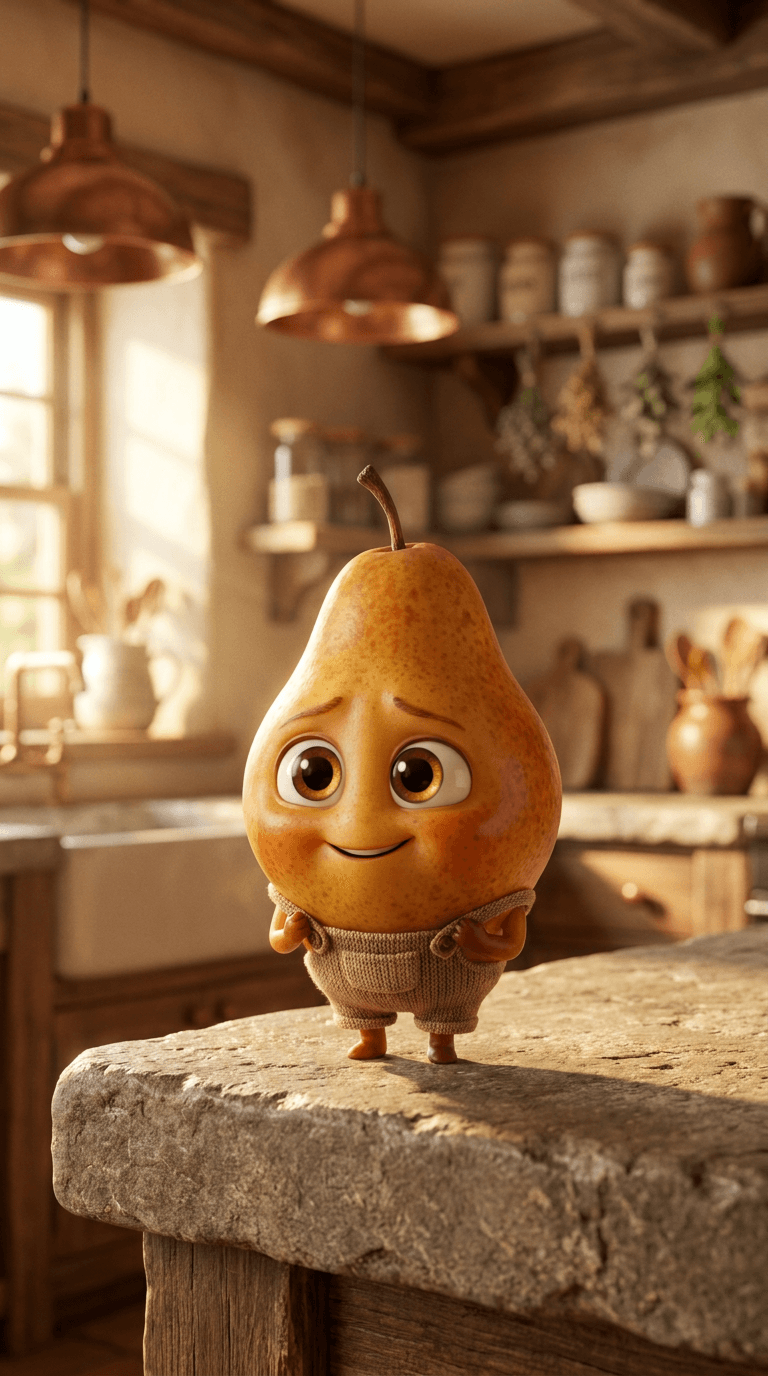
How to create a Charming Fruit Character image
The prompt
Ultra-detailed 3D render of an adorable anthropomorphic pear character standing centered on a weathered stone countertop inside a sunlit cottage kitchen; plump teardrop body with dappled amber-gold-blush skin, tiny curved stem at the crown, soft rosy freckles and convincing fruit-peel texture, small rounded arms and compact stubby legs, large glossy hazel eyes with crisp catchlights and wet-surface reflections, gently arched brows and a bashful half-smile — stylized Pixar-inspired character design with photorealistic materials and believable subsurface scattering. Eye-level, slightly low-angle full-body composition, shallow depth of field with buttery bokeh revealing blurred copper pendant lamps, open wooden shelves, ceramic crocks, and hanging dried herbs in the background. Warm late-afternoon color palette: deep ambers, marigold yellows, dusty sage greens, and toasted tawny browns. Soft cinematic three-point lighting: warm key light raking from the left, subtle cool fill from the right, fine rim light tracing the character's silhouette against the background, natural diffuse shadows pooling on the stone surface, specular highlights gleaming on the skin and eyes, faint film grain, high-resolution studio-quality optics, whimsical cozy mood, charming and wholesome.
How it works
- 1Tweak the prompt or pick a different model.
- 2Hit Generate — your image renders in seconds.
- 3Drop it straight into a video.