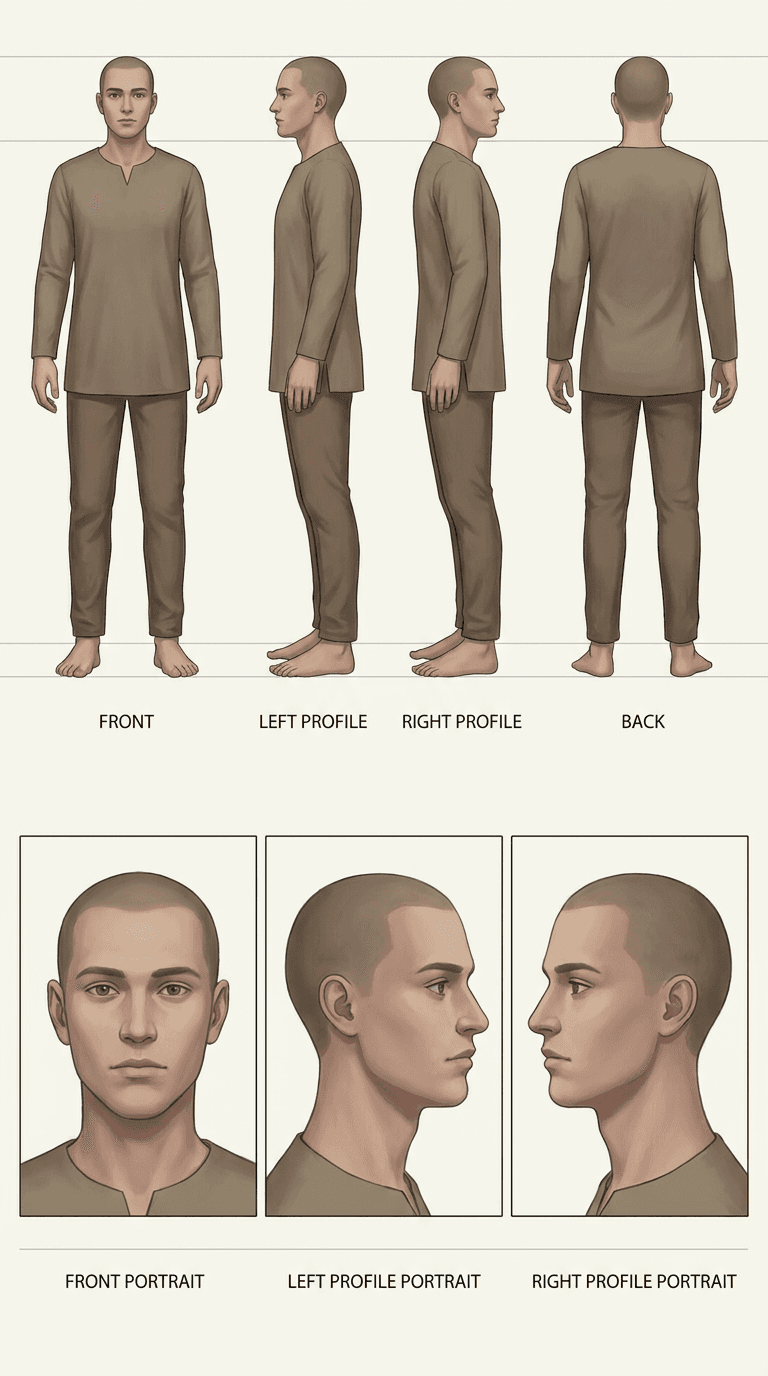
How to create a Character Reference Sheet image
The prompt
Generate a professional character model reference sheet faithfully based on the uploaded reference image. Use a clean, solid off-white background and present the layout as a technical turnaround sheet, matching the reference exactly in realism level, rendering style, surface texture, color grading, and overall visual aesthetic. Arrange the composition in two horizontal rows. Top row: four full-body standing views placed side by side in this order — front view, left profile (character facing left), right profile (character facing right), back view. Bottom row: three highly detailed close-up portrait views aligned directly beneath the full-body panels in this order — front portrait, left profile portrait (facing left), right profile portrait (facing right). Maintain strict identity consistency across all panels. Hold the character in a neutral A-pose throughout; keep scale, ground-plane alignment, and silhouette uniform across the full-body views, with consistent head height across all four. Ensure anatomical accuracy and a clear, readable silhouette. Space panels evenly with clean separation lines and uniform framing. Portrait panels must share consistent facial scale and crop height. Lighting across every panel must be identical — same source direction, intensity, and diffusion level — using soft, controlled natural shadows that preserve surface detail without introducing dramatic mood variation or color shifts. Render the sheet at print-ready sharpness with crisp edge definition throughout. Background must remain pure white.
How it works
- 1Tweak the prompt or pick a different model.
- 2Hit Generate — your image renders in seconds.
- 3Drop it straight into a video.